MARKETING MATE · LEARN BY BUILDING
What should a landing page include?
Build the page your offer needs.
Choose a business, shape an offer and watch your page come together—one useful section at a time.
12 business scenarios · Editable copy · Real photo choices · Downloadable plan
THE SHORT ANSWER
Include what someone needs to understand, trust and act on the offer.
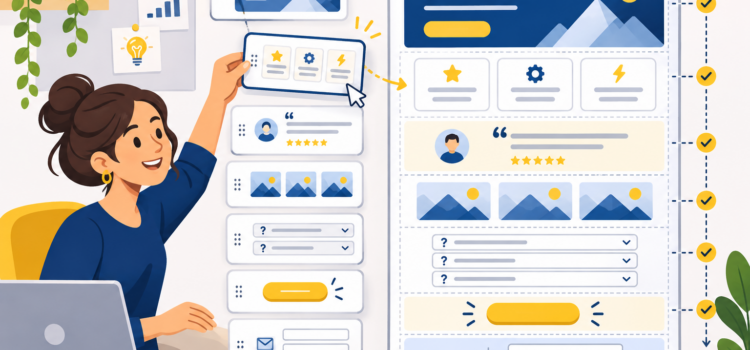
A landing page should explain one main offer, show who it is for, provide useful supporting details and make the next step clear. Relevant images, benefits, genuine evidence, practical FAQs and a suitable form or destination can help—but every section needs a job.
A catering enquiry needs different information from a clothing launch or an event registration. Start with the customer’s questions rather than filling every available section.
Understand
What is the offer, and is it relevant to me?
Evaluate
What do I get, and what do I need to check?
Act
What should I do, and what happens afterwards?
THE LANDING PAGE WORKSHOP
Make each section earn its place.
Build a fictional example or adapt the draft to an offer of your own. You can revisit every decision.
No signup
The workshop needs JavaScript. The section guide and FAQs below remain available without it.
Add the separate Raw HTML code to load the workshop here.
A PRACTICAL LANDING PAGE STRUCTURE
What each section should do
| Section | Its useful job | What to check |
|---|---|---|
| Headline and opening | Identify the offer and why it matters to this visitor. | Can someone understand the page without reading the rest of your website? |
| Relevant image | Show the product, service, experience or appropriate context. | Does the image represent the offer honestly, and does its crop work on a phone? |
| Offer details | Explain inclusions, scope, requirements and practical conditions. | Are price, timing, location or suitability details needed before someone can decide? |
| Benefits | Connect the offer to the customer’s reason for considering it. | Are the benefits specific and supportable, rather than generic promises? |
| Trust and evidence | Help someone assess the business and understand the process. | Are reviews, work examples, qualifications and claims genuine and relevant? |
| FAQs | Answer buying or participation questions that would otherwise stop progress. | Do these add useful answers instead of repeating the headline? |
| Next step | Help the visitor enquire, register, browse or buy. | Does the button describe the action, and is the connected destination or form working? |
CHOOSE THE PHOTO FOR THE JOB
A good-looking image still needs to be the right image.
A catering display can communicate a group food offer better than a generic coffee scene. A real class photo can explain a fitness session better than a lifestyle portrait. For accommodation, product ranges and portfolios, use images that accurately represent what is being offered.
The workshop uses photographs already hosted on Marketing Mate to illustrate these decisions. They are not the fictional businesses’ own work, premises or customer results. Use the photo notes to distinguish a useful mood image from evidence you need to gather.
Check both desktop and phone crops. Keep important faces, products or details in view, and avoid placing essential information only inside an image. A reader should still understand the offer from the page text.
KEEP THE NEXT STEP HONEST
An enquiry is different from a confirmed booking.
If a form starts a conversation, say so. Explain which details you need and how the business handles the request. Do not label a button “Book now” if it only sends an unconfirmed enquiry.
A retailer may need a link to the actual collection instead of another lead form. An event may need a registration service that manages admission and confirmation. Choose the route that completes the intended action.
Connect and test the whole journey.
Check the button destination, form submission, confirmation message and delivery to the business. The appearance of a form does not prove that it sends anything.
FROM OUTLINE TO FINISHED DESIGN
Use the plan in Marketing Mate’s Landing Page Builder.
This workshop helps you decide what to say, show and include. The Landing Page Builder provides templates, flexible sections, brand settings, device previews and export options for creating the finished design.
Download your outline and copy, gather the real images and facts listed in your plan, then use them in the builder. This workshop does not automatically transfer a design into the builder.
For connected campaign artwork, the free Social Media Graphics Maker offers photo, layout, text and branding controls. Keep the campaign message consistent from the social graphic to the landing page.
PRACTICAL QUESTIONS
Landing page section FAQs
Does every landing page need all these sections?
No. Include what the offer requires. A simple collection launch may not need a lead form or a long FAQ. A consultation page may need more explanation of the process. Removing unnecessary sections can make the page easier to follow.
How many calls to action should a landing page have?
Keep a clear main action. You can repeat a relevant button where it helps, but do not make equally prominent buttons compete for unrelated tasks. The wording should explain what the visitor will do next.
Do I have to show a price?
Show accurate pricing when it is needed and available. For a quote-based service, explain what affects the quote and what information is required. Do not invent a starting price simply to fill a section.
Can I use a stock photo as proof of my work?
No. An illustrative photo can set context, but it should not be presented as a completed project, actual product, class, property or customer result when it is not. Use your own authorised evidence for those claims.
What if I do not have customer reviews?
Do not invent them. A factual business introduction, clear service scope and an understandable process can help a visitor evaluate the offer. Gather and use genuine reviews or authorised work examples when available.
How long should the page be?
Long enough to answer the questions needed for this offer, with a clear hierarchy and useful next step. There is no universal section count that makes a page effective.
Can I publish the workshop preview as a real page?
The preview is a planning exercise. Download its copy and outline, replace illustrative material with accurate business information, and create the finished page in the builder. Connect and test the real form, shop, booking or registration route before publishing.
Will adding these sections guarantee more enquiries?
No. A useful structure supports clearer communication. Results also depend on the offer, audience, traffic, execution and follow-up. Review real outcomes instead of treating a checklist as a conversion forecast.
PUT THE PLAN TO WORK
You have the outline. Give it your brand.
Bring your offer, draft copy and real assets into Marketing Mate’s Landing Page Builder to shape the design, review it on different devices and export the finished page.